
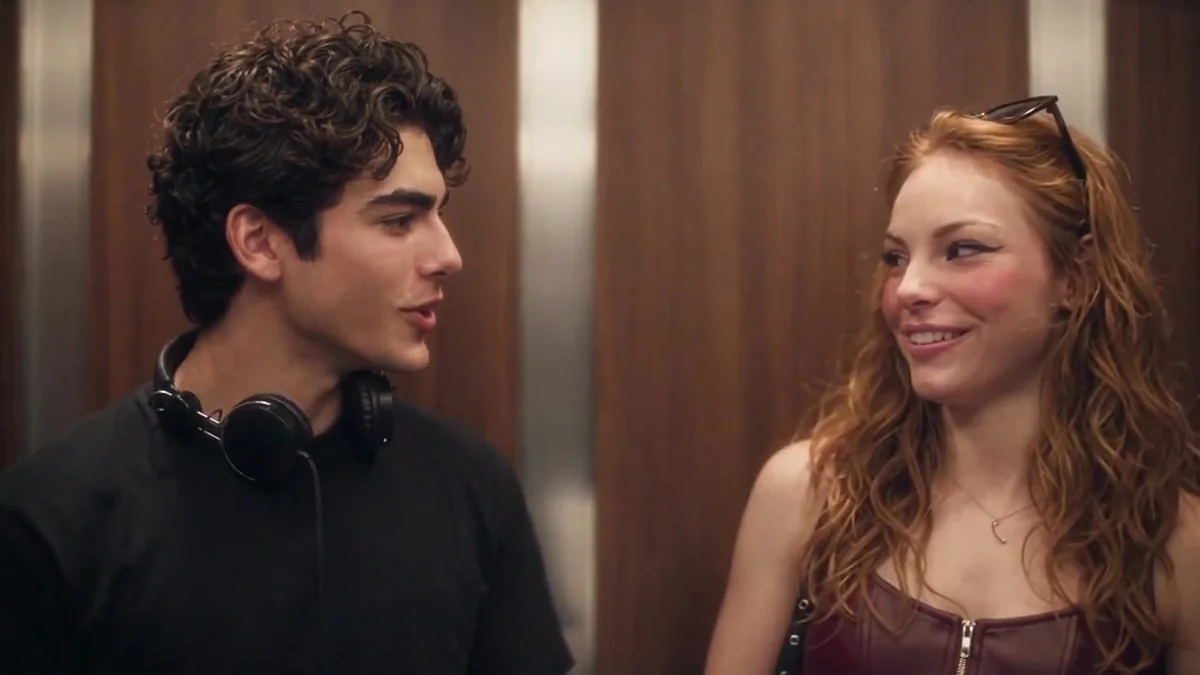
Choose the vertical frame
Select 9:16 before checkout. The tall frame is built for TikTok, Instagram Reels and YouTube Shorts, and it keeps both characters visible on a phone.
If you later want a widescreen version, start a separate order with 16:9. The format is not changed after payment.
Upload the two roles
Photo 1 is the headphone listener; Photo 2 is the person who turns and says the line. Use one consenting adult per photo and upload in the intended order.
A clear head-and-shoulders portrait works better than a full-body shot or a group photo. If you only have one good photo, Photo 1 is the required slot.
Checkout and download
Review the one-time price and complete checkout. Generation starts after verified payment and may take time; the queue and provider affect the wait.
When the video is ready, open Generated videos in the same browser and download the MP4 within 30 days. Optional email delivery depends on configuration.
- Choose 9:16 before checkout.
- Upload Photo 1 for the headphone listener.
- Add Photo 2 if you want to cast the person who says the line.
- Review the one-time price and complete secure checkout.
- Download the finished MP4 within 30 days and add your caption in the platform.
Add your caption
The site does not add a POV caption or post for you. Add your own text in TikTok, Instagram or an editor. Keep the caption honest: it is an AI-generated scene inspired by the meme, not official film footage.
A simple caption such as “POV: you meet someone who loves the Smiths” works because it points to the line without pretending the scene is real.
- Keep the caption short and personal.
- Do not claim official affiliation.
- Do not present the AI scene as a real event.
- Respect the people in the photos and any music rights.
Share responsibly
Personal, non-commercial sharing only. The purchase does not include a commercial-use license or a separate music license.
If a platform flags the audio, do not repost the same track repeatedly. Replace the audio in your editor or share the video privately.
Common questions
Does the site post to TikTok?
No. You download the MP4 and upload it yourself.
Can I add a POV caption?
Yes, in your own editor or in the platform. Keep it honest and do not claim the scene is official footage.
Cast the headphone listener and the optional person who says the line. Check the final price and create your own elevator meet-cute.
Try the video studio →